

Results and reports
Result types
Section titled “Result types”| Result | Meaning |
|---|---|
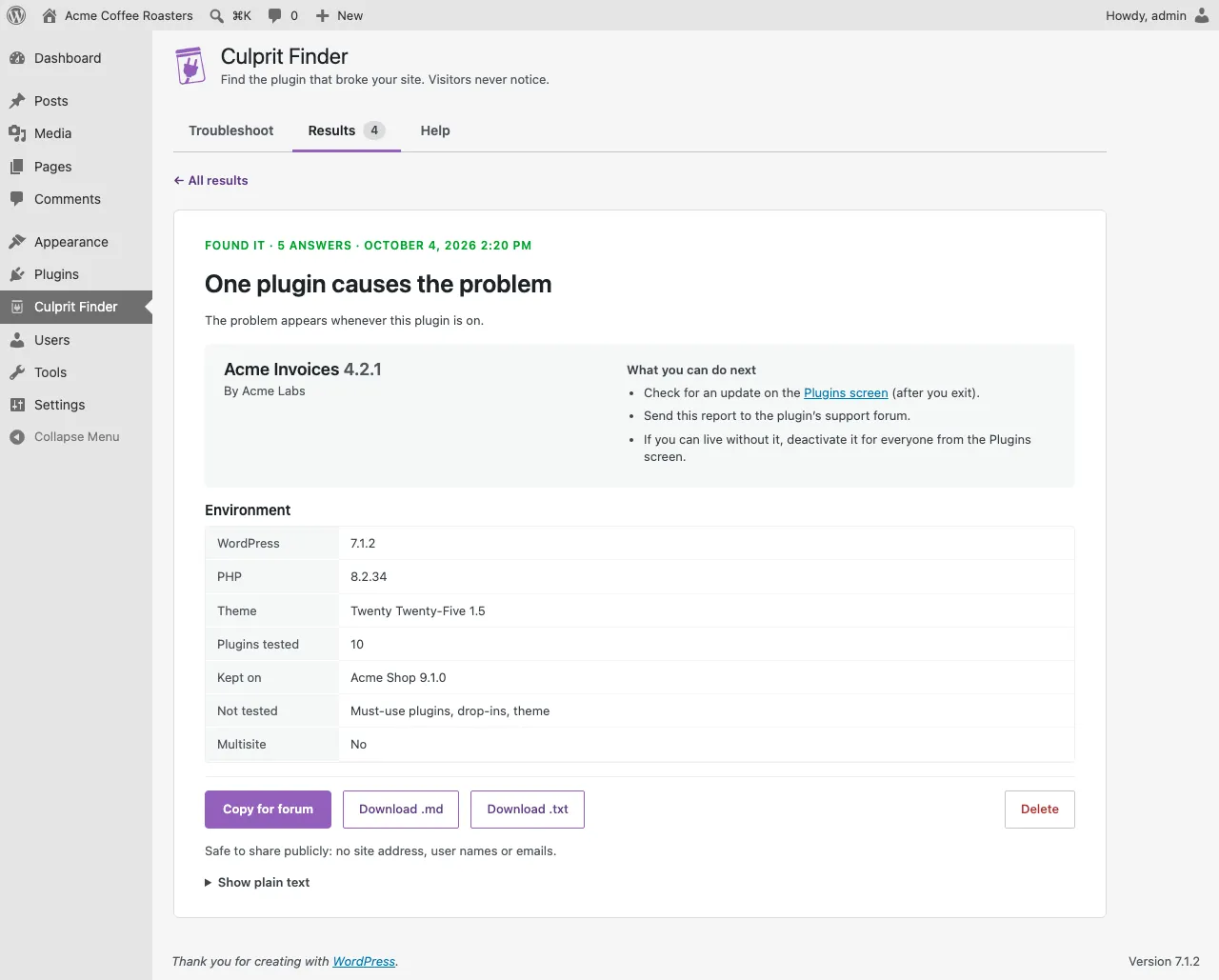
| One plugin causes the problem | The problem appears whenever this plugin is on. |
| Two plugins conflict with each other | Each is fine alone; the problem appears only when both are on. |
| Three or more plugins are involved | The two named plugins are part of it, but at least one more is needed. Test further with both of them on. |
| It’s not one of the plugins tested | The problem stayed with all of them off. Check the theme, must-use plugins or the server. |
| There was nothing to test | Every active plugin was kept on. |
| The answers didn’t add up | The problem may come and go. Try again and check each step carefully. |
What you can do next
Section titled “What you can do next”For a named culprit:
- Check for an update on the Plugins screen (after you exit).
- Send the report to the plugin’s support forum.
- If you can live without it, deactivate it for everyone from the Plugins screen.
The support report
Section titled “The support report”Each result has a report in plain text with light Markdown. It lists the result, the plugins involved with versions, your WordPress and PHP versions, theme, how many plugins were tested and which were kept on, and how many answers it took. It contains no site address, user names or email addresses, so it’s safe to paste in public forums.
- Copy for forum copies it.
- Download .md and Download .txt save it as a file.
- Show plain text shows the raw text.
While the session is still open
Section titled “While the session is still open”When you open the result of your current session, a bar above it offers Done, exit, Undo last answer and Run again. Your site is back to normal for you while you read the result.
WordPress is a trademark of the WordPress Foundation. Culprit Finder is not affiliated with or endorsed by the WordPress Foundation.